TRIOS Certificate Issue – How to fix
This document contains instructions on how to remedy the Certificate Issue on your TRIOS POD system.
For Cart systems, please contact your TRIOS Support contact.
Symptom
The TRIOS system is not able to start and you will see the following error message:
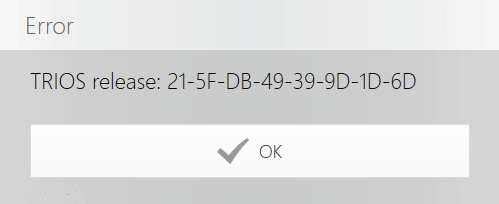
Fix
- Download the ‘TRIOSPatcher.exe’: to your PC (any location will do, e.g. the desktop)
- Once downloaded, double click on the downloaded file ‘TRIOSPatcher.exe’
- When command prompt says ‘Done’, close the command prompt and start TRIOS
- System is now ready to go
Please note that the system will subsequently download the latest software version (1.4.6.3/1.3.4.7). You may update when convenient. The update is not required to start scanning but 3shape always recommend to stay upgraded to benefit from the latest bugfixes.