- Home
- Change password in Ortho
How to type in your password in the Ortho System
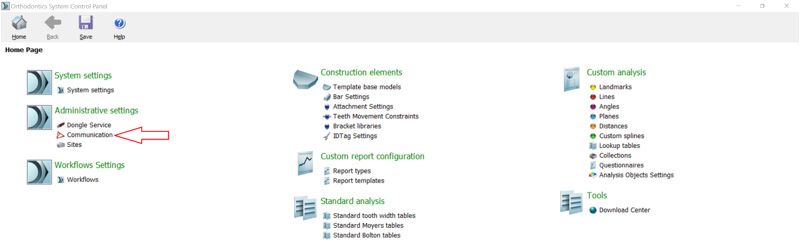
Open 3Shape Ortho Control Panel by clicking the 3Shape Ortho Control Panel icon on your desktop.
Then click on Communication tab:
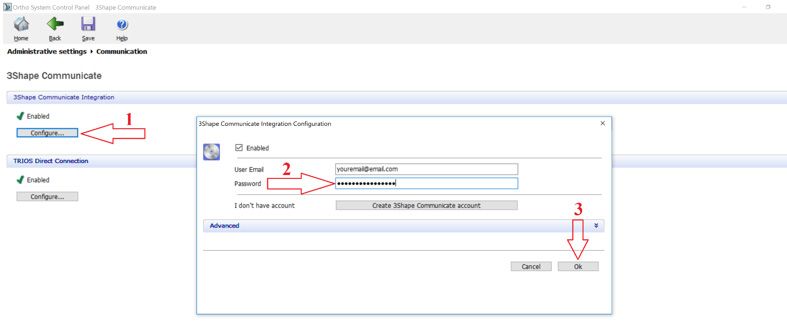
Follow the next steps:
- Click Configure at 3Shape Communication section
- Put your new password to the password tab
- Click OK to confirm
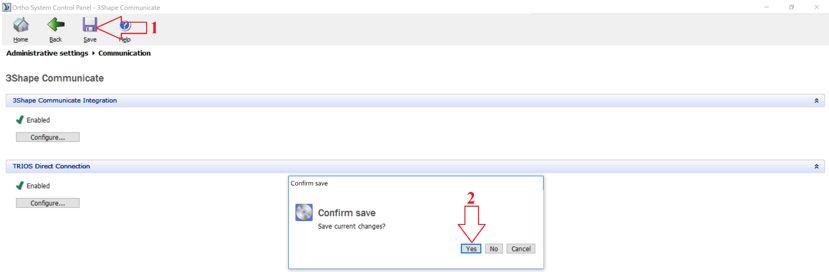
Please confirm the changes made in the Control Panel:
- Click on Save
- Hit OK